
21 DAYS
LAUNCH
Time to Execute the Plan
O.K., [wlm_firstname]... today is Launch Day,
Everything should already be done by now. Hopefully you're viewing this before then! On LAUNCH DAY, many promotional elements are released simultaneously. Think of it as a whole bunch of fireworks all going off at once. By the end of the day, there will be no doubt in anyone's mind that something is happening!
Your Website
Your Website Homepage:
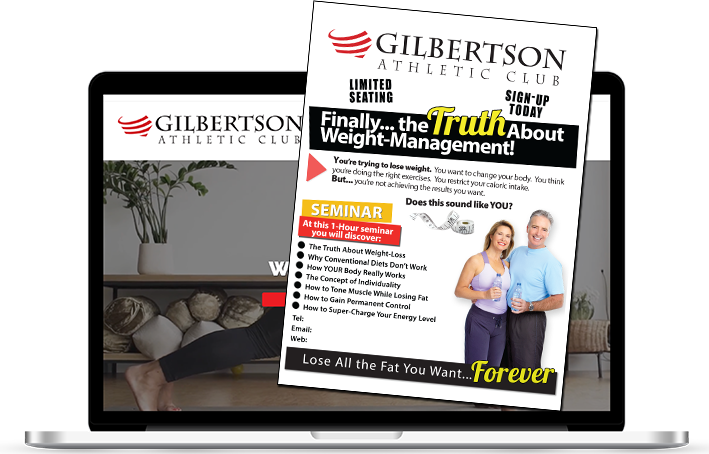
Ask your webmaster to design a graphic, slide or use text placed front and center (above the fold) on your website announcing the seminar.
Or, use the Promo Video, placed front and center on your website like a movie trailer!
Be sure to create a link like the "Click Here" button in the image -- that re-directs to a "Sign-Up" page.
TO GET YOUR BRANDED PROMOTIONAL VIDEO: CLICK HERE...
Sign-Up Form
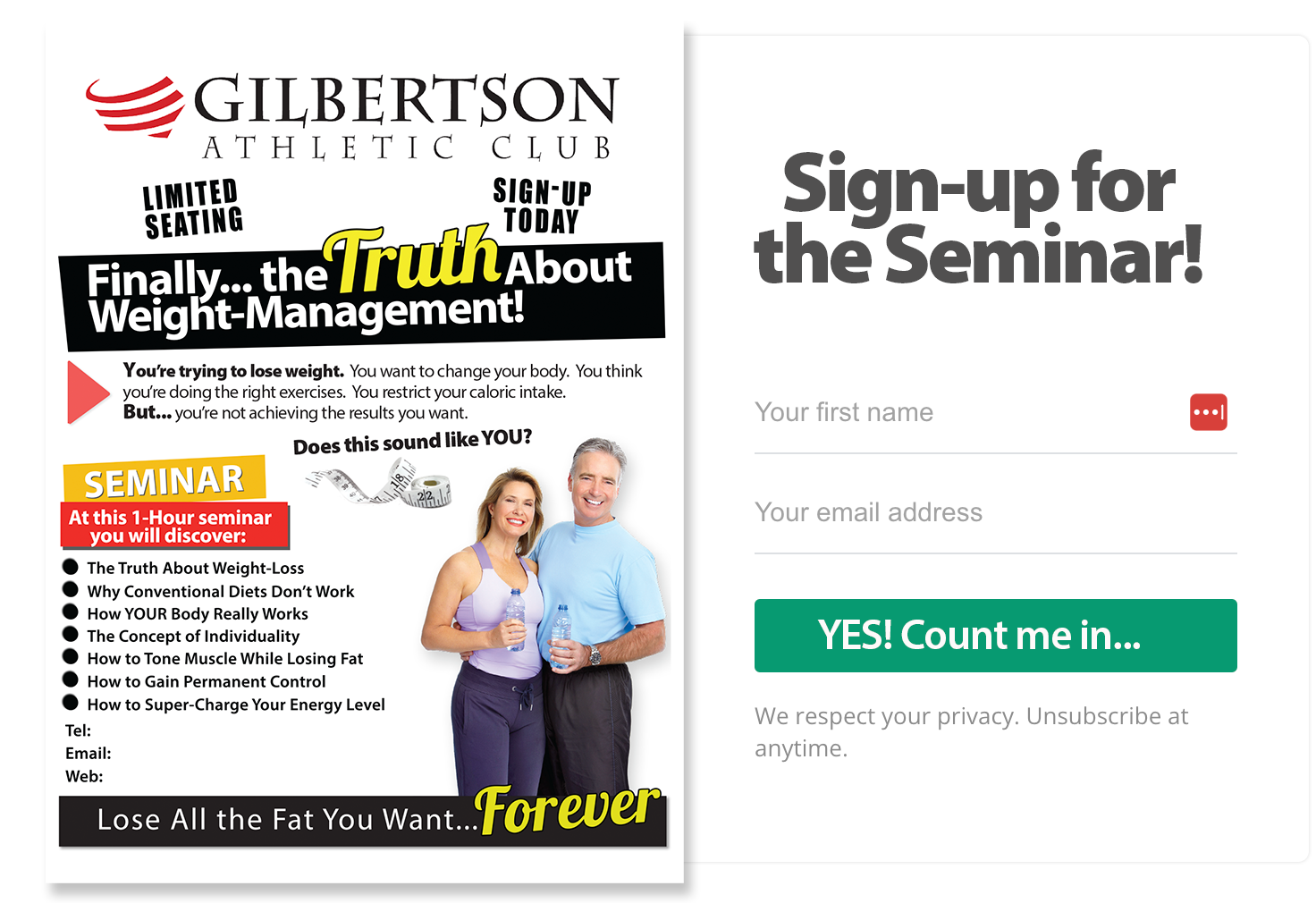
The content on your "Sign-Up" Page should reinforce the time and date of the Seminar. It should also include all the bullet points.
Make it EASY for your potential audience to sign-up for your seminar. If you ask for much more than a name and email, you may negatively impact your sign-ups. Here's an example: CLICK HERE...
Almost all email systems will allow you to set-up a "confirmation" email for new sign-ups. This is important as most people are used to receiving instant confirmations.
All sign-ups should be "tagged" for the seminar. Or, be included on a new email list. If you manage your own website, this should not take very long to set-up. Or, ask your webmaster to set this up. It will take less than 30 minutes.
Email #1 - with Link to Web Form:
[SUBJECT LINE]: How 45-Minutes Will Change Your Life

It's time to notify your email list about the Seminar with this first announcement.
This is a fantastic email to send to both active and non-active members as wells as your "prospects" list. Be sure it's modified to meet your specific requirements for your seminar.
Adding a P.S. -- If you plan to offer a complimentary fitness assessment and/or body-fat evaluation, you should add a P.S. at the end of each email.
Be sure your recipients are provided with an OPT-OUT option - since you'll be sending a few emails during this 21-Day period.
Email for a Webinar:
If you are preparing for a webinar, then, you already know the importance of your email.
TO GET ALL YOUR PRE-WRITTEN EMAILS: CLICK HERE...
Seminar Posters Posted:
Posters... Posters... EVERYWHERE! 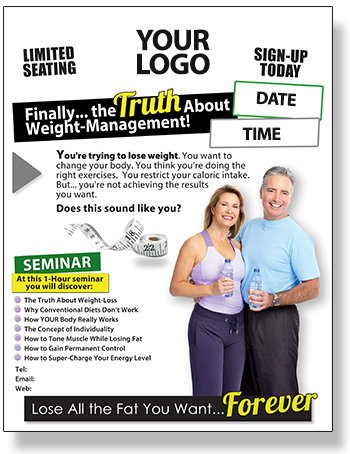
- On all support poles, walls and mirrors
- On appropriate equipment
- In the restrooms (by urinals and stall doors)
- Especially near the scale
- All group exercise rooms
- On the front doors (Both sides)
- At the front desk
Listen, when members or clients walk into your club or studio on Launch Day, they should know within :03 seconds that something looks different and within :30 seconds they should know exactly what is going to be happening.
Within one minute, they should know when and at what time! If not, then hang more posters!
TO GET YOUR BRANDED POSTER TEMPLATE: CLICK HERE...
Front Desk to Handout TriFolds:
 Yes, your front desk receptionists have a big role to play in the 21-day promotion. It's not enough to simply place a bunch of trifolds out on the counter in hopes that members and clients will pick one up.
Your front desk personnel need to be PRO-ACTIVE. As clients and members are leaving your facility, front desk personnel should be saying,
"Please take one of our brochures for our upcoming seminar. It's going to be really fun and informative"
TO GET YOUR BRANDED TRIFOLD TEMPLATE: CLICK HERE...
Begin PA Announcements:
 Whether you operate a 100,000 sq. ft. big box facility, a mid-size club /studio, or any kind of facility with a P.A. system -- announcements should be made at least once every hour. Especially important on "Launch Day!"
It's as simple as:
"Attention members, a quick reminder that on [DAY], [DATE] at [TIME], we will present a one-hour seminar called: Finally the Truth About Weight-Management. It's going to fill up fast so be sure to sign-up at the front desk. "
Use your creativity with your announcements. The most important point is that you consistently make them!
Begin Telephone Hold Announcements:
 The very first "information" bullet on your telephone hold message should be your Weight-Management and Lifestyle Seminar.
Your script might include something like:
"Coming on [DAY] [DATE] at [TIME] [YOUR BUSINESS] is proud to present, "Finally... the TRUTH About Weight-Management."
If you are an independent trainer, health coach or consultant, then be sure to include the message on your smart phone.
 Begin Group Program Announcements:
During "cool down" all group program leaders should be reminding their participants of the upcoming seminar and encouraging them to sign-up.
After all, the seminar will provide them with a better understanding of how their group exercise program is actually helping them!
Send Media Release #1 / PSA:
[SUBJECT LINE]:
[YOUR BUSINESS] TO PRESENT WEIGHT-MANAGEMENT & LIFESTYLE SEMINAR - PSA

If possible, your first press release should be sent two or three days before your launch date.
That would give media organizations a chance to program it for their paper, broadcast or webcast.
This way, ideally, it would hit the news stands and airwaves on the same day as your launch.
TO GET YOUR MEDIA RELEASE TEMPLATES: CLICK HERE...
Send Direct Mail to #1 Active and #2 Prospective Members
 Direct mail is still a great way to communicate with all of your audiences including active, non-active and prospects who never joined. It also sends a message that this is a serious event.
Just to demonstrate, think about this. When was the last time you received a direct mail post card or letter inviting you to a Weight-Management seminar? If you're like most, probably never.
Active Members
This letter is especially written for your active members.
Even though you might be overlapping the message with email, this direct mail piece will simply reinforce the event and the importance you've place on it.
This letter reminds your active members of the event as well as positioning your business as an authority on the topic. It also serves to demonstrate your willingness to reach out to the community.
Be sure to include your trifold brochure.
Non-Member or Prospect
This letter speaks to several non-member audiences including non-members, inactive former members and current prospects.
You'll also note this is a "personal" invitation from you (or the owner) as a way to enhance the sincerity of the invitation and to increase reservations / attendance.
Even though you might be overlapping the message with email especially among active prospects, this direct mail piece will reinforce the event and the importance you've place on it.
Be sure to include your trifold brochure.
TO GET YOUR DIRECT MAIL TEMPLATES: CLICK HERE...

FaceBook Announcements - Link Back to Web:
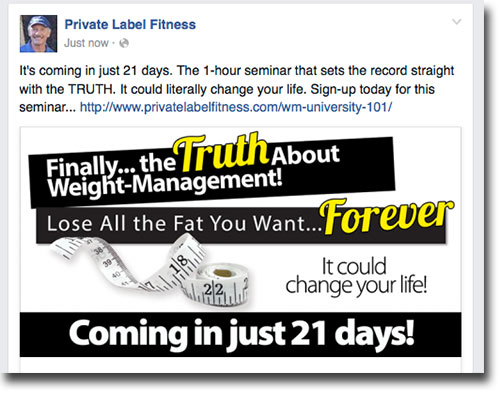 First off, you MUST have a FaceBook Fan or Business Page to use these images with link-backs to your sign-up page.
The entire goal of the FaceBook campaign is to lead people -- via an image and text hyperlink -- to your website's sales or enrollment page.
This package contains 21 pre-designed FaceBook images that are perfectly sized at 1200 x 628 pixels in .png file format.
While these images may be huge, FaceBook automatically resizes them to fit your timeline. And, because we built them in high resolution, they should display crystal clear.
Click on the link to see a video tutorial on how to place these FaceBook Timeline notices with links back to your website.
- TO VIEW AND/OR DOWNLOAD YOUR 22 SOCIAL MEDIA IMAGES: CLICK HERE…
- TUTORIAL TO UPLOAD IMAGES TO SOCIAL MEDIA PLATFORMS: CLICK HERE…
 Twitter Feed Announcements - Link Back to Web:
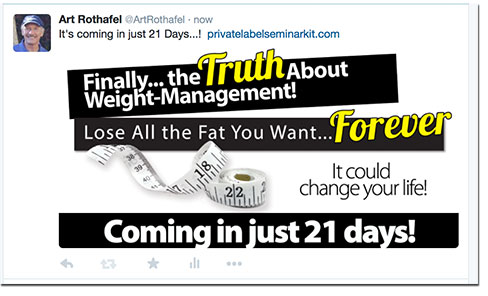 With Twitter allowing for images, you can add the exact same images into your Twitter feed to make announcements each day -- for 21 days.
Again, be sure to "link back" all your Twitter messages to your website's sign-up page for the seminar.
Don't forget to add your hash tags!
- TO GET YOUR SOCIAL MEDIA IMAGES CLICK HERE...
- TUTORIAL TO UPLOAD IMAGES: CLICK HERE...
 LinkedIn Announcements - Link Back to Web:
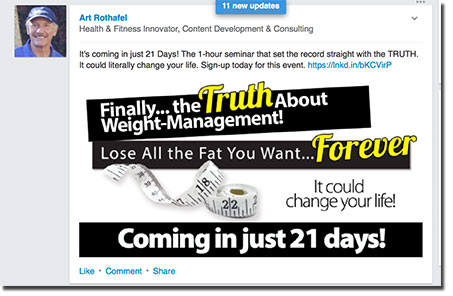 LinkedIn also allows for images in it's updates.
Once again, you can add the exact same FaceBook images into your LinkedIn updates to make announcements each day -- for 21 days.
Just like FaceBook and Twitter, you can link back all your LinkedIn messages back to your website's sign-up page.
So, you can see how easy it is to run a COHESIVE CAMPAIGN every single day for 21 days just posting to these 3 platforms using the same images and messages.
Once you get it down, you'll find that it takes less than 10 minutes to post these messages on all three platforms
- TO GET YOUR SOCIAL MEDIA IMAGES CLICK HERE...
- TUTORIAL TO UPLOAD IMAGES: CLICK HERE...